
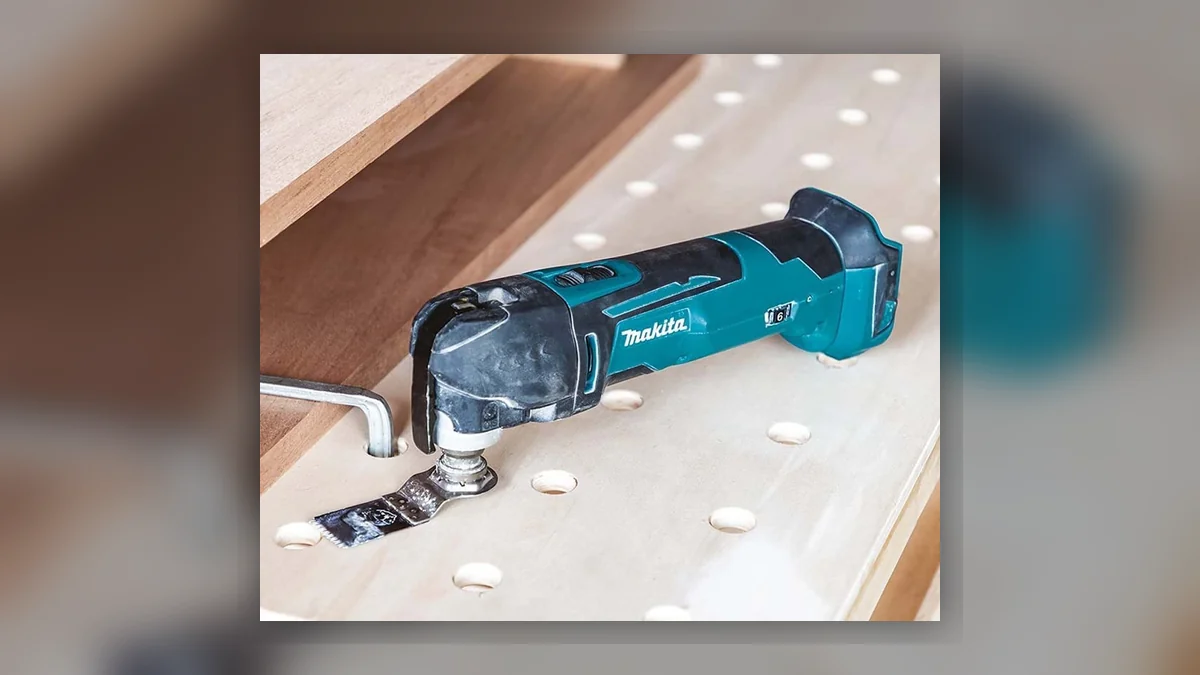
The oscillating multi-tool is one of the most genuinely useful tools a UK tradesperson can own. A plumber cutting a notch in a joist. An electrician opening a chase in plasterboard. A joiner trimming a door frame to fit new flooring. A tiler cutting grout. The same machine, different blades, completely different tasks.
The problem is that buying the wrong blade either means the job takes twice as long or the blade is ruined in minutes. This guide covers the Makita multi-tool blade range, what each type is designed for, and how to match the blade to the material.
How the Makita Multi-Tool Blade System Works
Makita multi-tools use a universal oscillating attachment system. Current Makita oscillating tools are compatible with the OIS (oscillating interface system), which is a market-standard fitting used by Makita and several other major brands.
This means Makita blades fit Makita multi-tools, and third-party OIS-compatible blades can also be used. For the purposes of this guide we are focusing on the Makita blade range, which covers the main task categories you will encounter on site.
The blade is the variable. The motor and the oscillating mechanism of the tool stay constant. What changes is the cutting edge: the material it can cut, how aggressively, and for how long.
Segmented Wood Cutting Blades
This is the starting point for most timber work. A segmented wood blade has a straight or slightly curved cutting edge with teeth designed for cutting timber, MDF, chipboard, and other wood-based sheet materials.
On site, you use this blade for: cutting through skirting board to allow a pipe or cable to pass behind it, trimming timber to length in tight spaces where a hand saw or circular saw cannot reach, cutting through plywood or OSB sheet, and general wood cutting in confined locations.
The teeth are set for wood and will cut plasterboard as well, though a dedicated plasterboard blade keeps the wood blade sharper for longer.
Blade life depends on what you are cutting. Clean softwood is forgiving. Glued, nailed, or painted timber shortens blade life quickly, at which point you move to a BIM blade.
BIM Blades: Wood and Nails
BIM stands for bi-metal. A BIM multi-tool blade has a high-speed steel (HSS) cutting edge with a more flexible backing material, and the tooth geometry is designed to handle contact with metal fasteners without instantly destroying the blade.
The practical scenario this is built for: cutting through old timber that has nails, screws, or staples in it. Old joist ends, reclaimed timber, original floor boards with cut nails, door frames with hidden fixings, and anything else in a renovation context where you cannot guarantee what is in the material.
A standard wood blade hits a nail and either snaps, blunts immediately, or both. A BIM blade cuts through. It is slower on clean timber, and it is not immune to heavy steel (a thick bolt will still beat it), but for the mixed conditions of UK renovation and refurbishment work, a BIM blade is the sensible default.
If you are buying one type of blade to live on your multi-tool, BIM is the practical choice for most site work.
HSS Blades: Cutting Metal
High-speed steel blades are designed for cutting metal. Thin copper pipe, conduit, studwork channel, lead flashing, thin sheet steel, and similar materials are where these blades work.
The tooth geometry is finer than a wood blade. On copper pipe, an HSS multi-tool blade cuts cleanly and quickly, which is why plumbers use it constantly for making cuts in places where a pipe slice or hacksaw cannot get to.
On thicker or harder metals, like structural steel or heavy rod, an HSS blade is the wrong tool. An angle grinder with a cutting disc is the right answer for that work. The multi-tool is for accessible cuts on thinner materials in confined spaces.
The combination to know: an HSS blade for thin metal cuts, a BIM blade for mixed timber and fixings. These two cover the majority of what an oscillating tool actually does on a UK trade site.
Carbide Blades: Grout and Hard Materials
Carbide-grit or carbide-tipped blades are for materials that would destroy any conventional tooth. Grout removal is the primary application: a carbide multi-tool blade run along a grout joint cleans out old grout efficiently without damaging the tile edges.
Beyond grout, carbide blades cut through: hardened adhesive residue left on floors after tile removal, cement-based renders in limited areas, fibre cement sheet in smaller cuts, and similar hard, abrasive materials.
The blade does not have teeth in the conventional sense. The cutting action comes from the carbide grit bonded to the edge, which wears away material rather than cutting through it. This makes it slower but capable on materials that would eat through toothed blades in seconds.
Carbide blades are consumables in a meaningful sense: the grit wears off with use, and a worn carbide blade is worth replacing rather than struggling with. They cost more per blade than standard wood or BIM blades, but grout removal by hand is considerably more time-consuming than using the right tool.
Sanding Pads and Hook-and-Loop Accessories
Oscillating sanding pads turn the multi-tool into a detail sander. The triangular pad format reaches into corners and tight angles that a random orbital sander cannot access: window sill edges, corner beads, tight angles in period mouldings, and similar confined areas.
The sandpaper used on an oscillating sanding pad follows the same grit ratings as standard sandpaper. P80 for material removal, P120 to P150 for preparation, P180 and above for finishing. The pads accept hook-and-loop sanding sheets in the appropriate triangular format.
For day-to-day use, the sanding pad is not the tool's primary strength. A detail sander is faster over larger areas. The multi-tool sanding pad wins in spaces too tight for any other sander.
Plunge Cut Blades
Plunge cut or semi-circular blades allow the oscillating tool to make cuts starting in the middle of a surface rather than from an edge. A rounded end and teeth arranged for the plunge entry make this possible.
Common application: cutting out a section of plasterboard for a socket, switch plate, or access panel. Mark the outline, plunge in, cut around the perimeter. Clean and controllable in a way that a jab saw is not, particularly for precise openings.
This blade type is also used for cutting door frames and architrave at floor level to allow flooring to run underneath, though the segmented wood blade in a standard configuration handles most of that work.
Blade Length and Depth of Cut
Multi-tool blades come in different widths and lengths. Narrow blades (25mm or 32mm width) access tighter spaces but take longer on wider cuts. Standard blades (68mm to 85mm width) are the general-purpose workhorses.
Depth of cut is limited by the blade length, typically in the 20 to 30mm range for standard blades. For anything deeper, a different tool is needed.
Setting the Right Oscillation Speed
Most Makita multi-tools have variable speed control. Higher speed gives more aggressive cutting but more heat and noise. Lower speed gives more control for delicate materials or finer blades.
For BIM blades in mixed materials, mid to high speed is normal. For carbide grout blades, lower speed helps prevent the grit from overheating and wearing prematurely. For sanding pads, a lower speed produces better results and extends the life of the sandpaper. The Makita instruction documentation for each tool provides the recommended speed ranges for different blade types.
Which Makita multi-tool blade should I buy first?
A BIM (bi-metal) blade is the most versatile choice for UK site and renovation work. It handles clean timber, timber with nails and screws, and a range of mixed materials. Add an HSS blade for metal cutting and a carbide blade if you are doing tile or grout work.
What does BIM mean on a multi-tool blade?
BIM stands for bi-metal. It refers to blades made from two metal types: a flexible alloy steel body combined with a high-speed steel cutting edge. This combination gives the blade the flexibility to resist breaking and the hardness to cut through nails and screws embedded in timber.
Can I use Makita multi-tool blades on other brands of oscillating tool?
Makita blades use the OIS (oscillating interface system) fitting, which is compatible with many competing multi-tools. Check the specification of your tool before buying, as some older or budget machines use proprietary fittings.
How long do multi-tool blades last?
It depends heavily on the material being cut. BIM blades in clean timber may last many hours. BIM blades cutting through nailed hardwood renovation materials may last a fraction of that. Carbide grit blades wear progressively with every cut. Keep a spare set of the blades you use most.
Can a multi-tool cut copper pipe?
Yes, with an HSS (high-speed steel) metal cutting blade. An oscillating tool with an HSS blade is widely used by plumbers for cutting copper, plastic pipe, and conduit in confined spaces where a pipe slice or hacksaw cannot reach.
What oscillating tool speed should I use for cutting grout?
Lower speed settings work better for carbide grout blades. High speed generates excessive heat which accelerates carbide wear and may risk cracking ceramic tiles. Start at a medium-low speed and adjust based on how the blade is performing.
Is there a difference between Makita OIS blades and StarLock blades?
Makita's current multi-tool range uses the OIS system. StarLock is a different fitting used by Bosch. They are not interchangeable without an adapter. Always check which system your Makita tool uses before purchasing accessories. ---